


Biond print film: biobased materials and fire class A2-s1,d0
Choosing film for wall graphics, window prints and wayfinding means considering where the material comes from, its CO₂ impact and the requirements of your space.
A reception hall should feel welcoming, a window print can offer privacy, and clear signs help visitors find their way. How do you choose a film when both the origin of the material and its reaction to fire matter? Biond combines biobased raw materials with a documented A2-s1,d0 fire classification. BlinkOut supplies and installs it for all three applications.
For public spaces where the specification calls for A2-s1,d0, Biond may be suitable within the conditions of the classification report. We check the design alongside the surface and the layers used in the installation.
What is Biond print film?
Biond is a range of printable, self-adhesive films made with biobased polymers. White and transparent films come with a choice of finishes and adhesives. The manufacturer describes applications on flat and slightly curved surfaces. The right combination depends on the design, the substrate and how people use the space. Explore the Biond print film range
How much of the film comes from renewable sources?
Biond reports that 80% of the carbon in its matt and gloss white films comes from biological sources. For some transparent films that share reaches 96%. These figures measure the origin of the carbon. The complete graphic, including the ink, adhesive and liner, has a different composition.
The manufacturer cites TÜV AUSTRIA OK biobased certification and radiocarbon analysis to substantiate the carbon content. Compostability and the climate impact of a finished graphic require separate evidence. Read about the biobased certification
Film area, expected service life and installation also matter when planning a project. The calculator below lets you compare raw material emissions for your chosen area.
What does the A2-s1,d0 fire classification cover?
Applus report 25/32304643-2, dated 29 May 2025, gives a classification of A2-s1,d0 under EN 13501-1:2018 for the tested Biond assembly. Each part of the code describes a different observation.
- A2 indicates a very limited contribution to fire.
- s1 indicates low smoke production under the test criteria.
- d0 means there were no flaming droplets or particles during the specified test period.
For a school, healthcare facility or public reception area, ask for the exact class in the project specification. A project requiring A1 needs a different classification from one specifying A2-s1,d0.
The assembly matters. The test covered film and adhesive on aluminium. Check the substrate, print and any protective layer against the scope of the report before specifying the finish.
We review the full classification and report when planning the installation. Read the Applus fire classification report (PDF).
Three applications BlinkOut supplies and installs
Wall graphics for interiors
A woodland photograph can give visitors something to look at in a waiting room. In a reception hall, a graphic wall can introduce the organisation as soon as people walk in. BlinkOut matches the film and installation method to the wall and the project requirements. Explore photo walls and wallcoverings.
Window graphics for privacy and identity
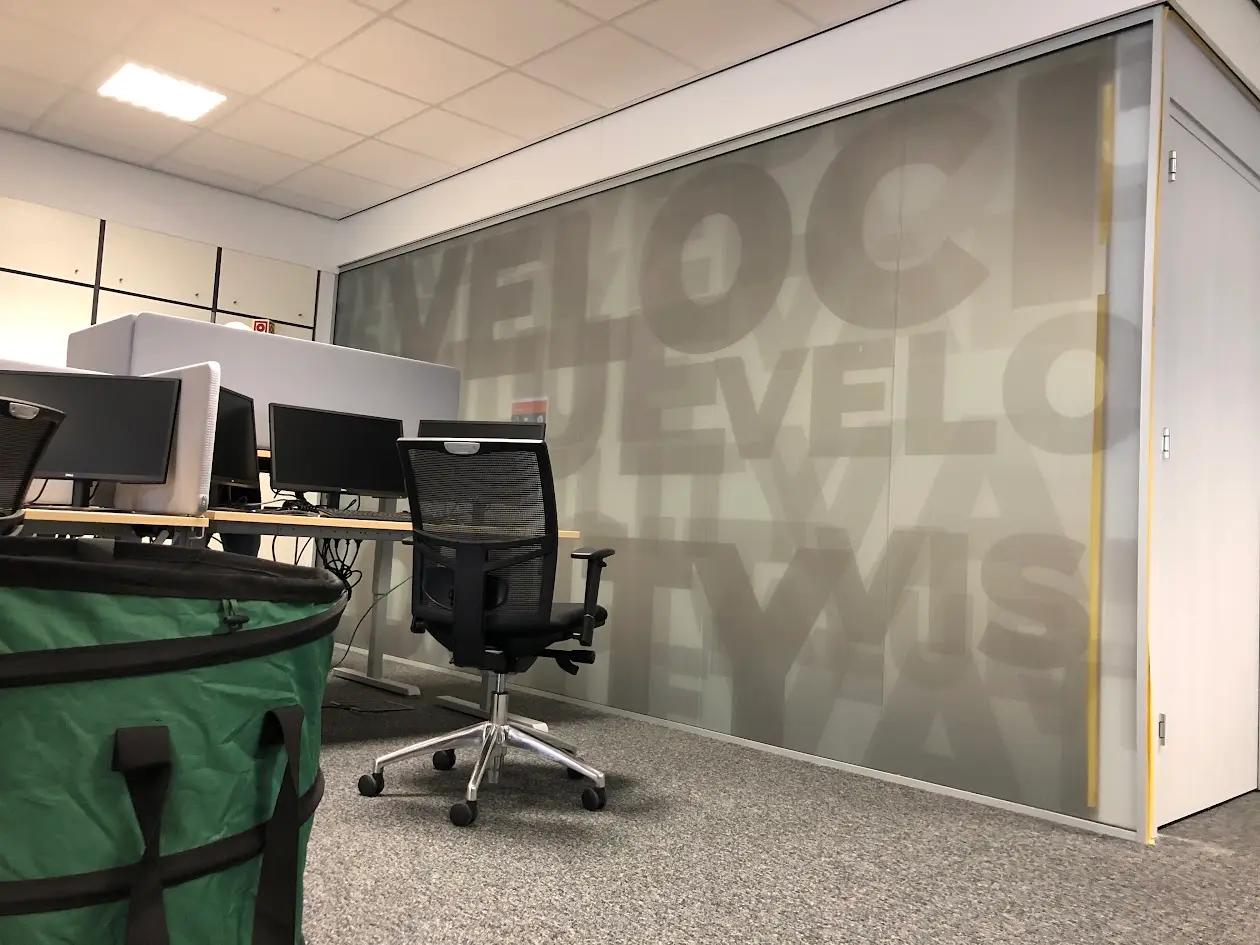
A glazed entrance can carry a recognisable design, while a printed office partition can screen desks from view. We help you choose the image and level of coverage for the space, then supply and fit the film. Explore window film options.
Wayfinding that helps visitors find their destination
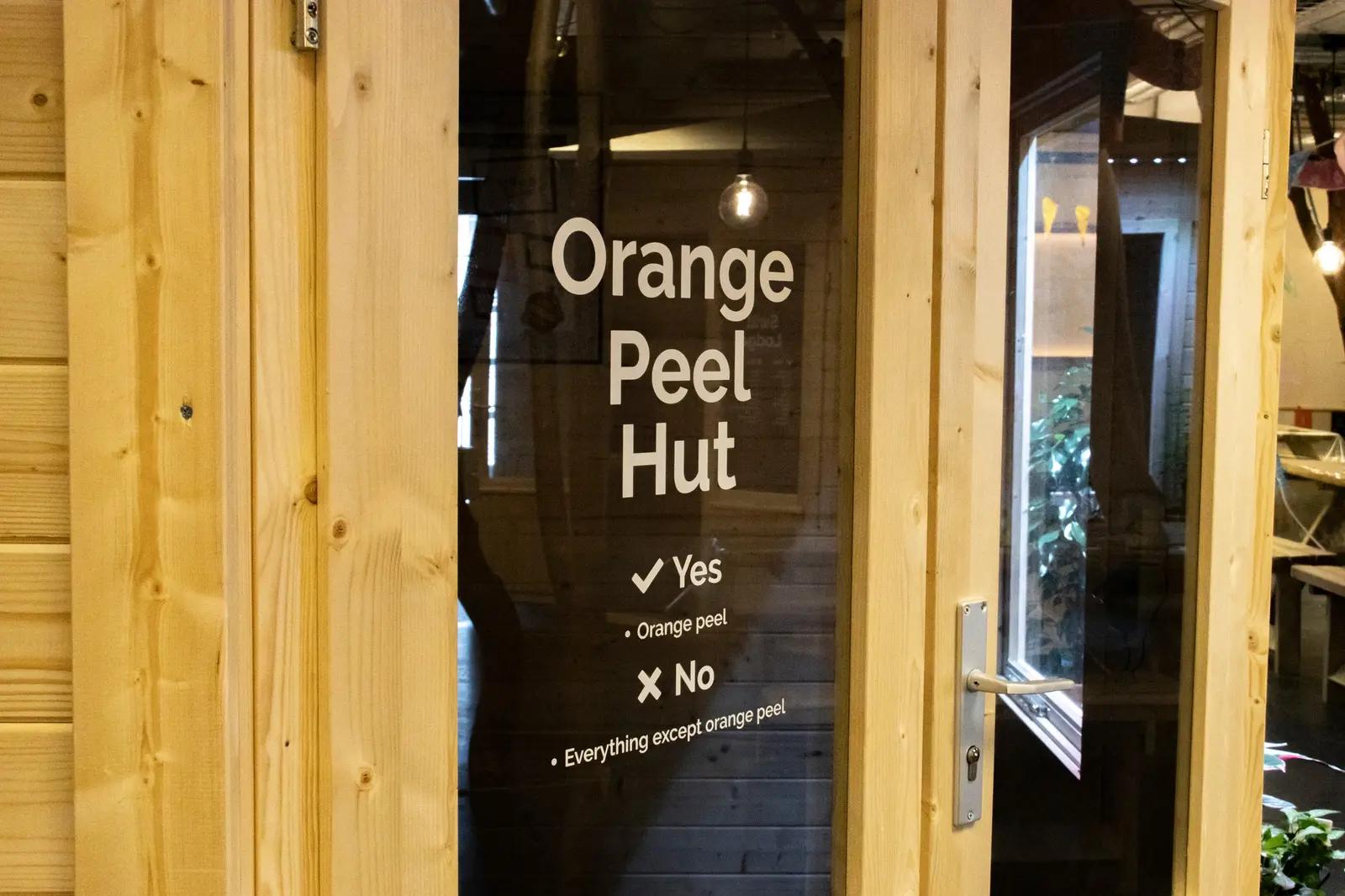
A room name on glass, a distinctive department graphic or a directional sign can help people decide where to go next. BlinkOut supplies and installs Biond for wayfinding signage. We plan the contrast, position and substrate together, taking any fire requirements into account from the start.
Choosing and installing the right film
To plan your installation, we start with three questions. What should people see? Which surface will carry the film? What requirements apply in that location? Photos, dimensions and a material specification help us advise on a suitable finish.
If the brief specifies a fire class, send us the exact wording. We can check the proposed assembly against the documentation and consult the supplier and project adviser before the material is ordered.
What does the CO₂ calculator measure?
The calculator uses Biond’s published factors of 0.299 kg CO₂-equivalent per m² for the PVC reference and 0.036 kg for Biond. For 100 m², that gives 29.9 kg and 3.6 kg respectively, an estimated difference of 26.3 kg CO₂-equivalent, or about 88%.
The comparison covers raw material production under the conditions of the PIEP study cited by Biond. Printing, transport, installation and end of life fall outside that calculation.
Sources and documentation
Sources checked on 3 November 2026.
- Biond printing films and product documentation
- TÜV AUSTRIA OK biobased certification and carbon content
- Applus fire classification report 25/32304643-2 (PDF)
- Biond / PIEP raw material production factors per m²: PVC 0.299 kg CO₂-eq. and Biond 0.036 kg CO₂-eq.
- Biond certification overview
BLINKOUT · CO₂ CALCULATOR
Your area. Less CO₂.
See the difference your material choice can make. Enter your area and compare Biond with conventional PVC film.
Estimated difference· 100 m²
26.3
kg CO₂-eq.
lower within this material comparison
Emissions compared
- PVC reference
- 29.9kg CO₂-eq.
- Biond
- 3.6kg CO₂-eq.
How we calculate the difference
An estimate for raw-material production per m² of film, under the conditions of the PIEP study referenced by Biond. This is not a complete project footprint: printing, additional laminate, transport, installation and waste treatment are not calculated separately here.
Emission factors: PVC 0.299 and Biond 0.036 kg CO₂-eq./m². Checked on 3 November 2026.